


Exploring research automation through Exa Websets
Role
Product DesignerTimeline
September – October 2025Team
Solo ExplorationSoftware
Figma, Warp, WebsetsOverview
What's up with Exa Websets?
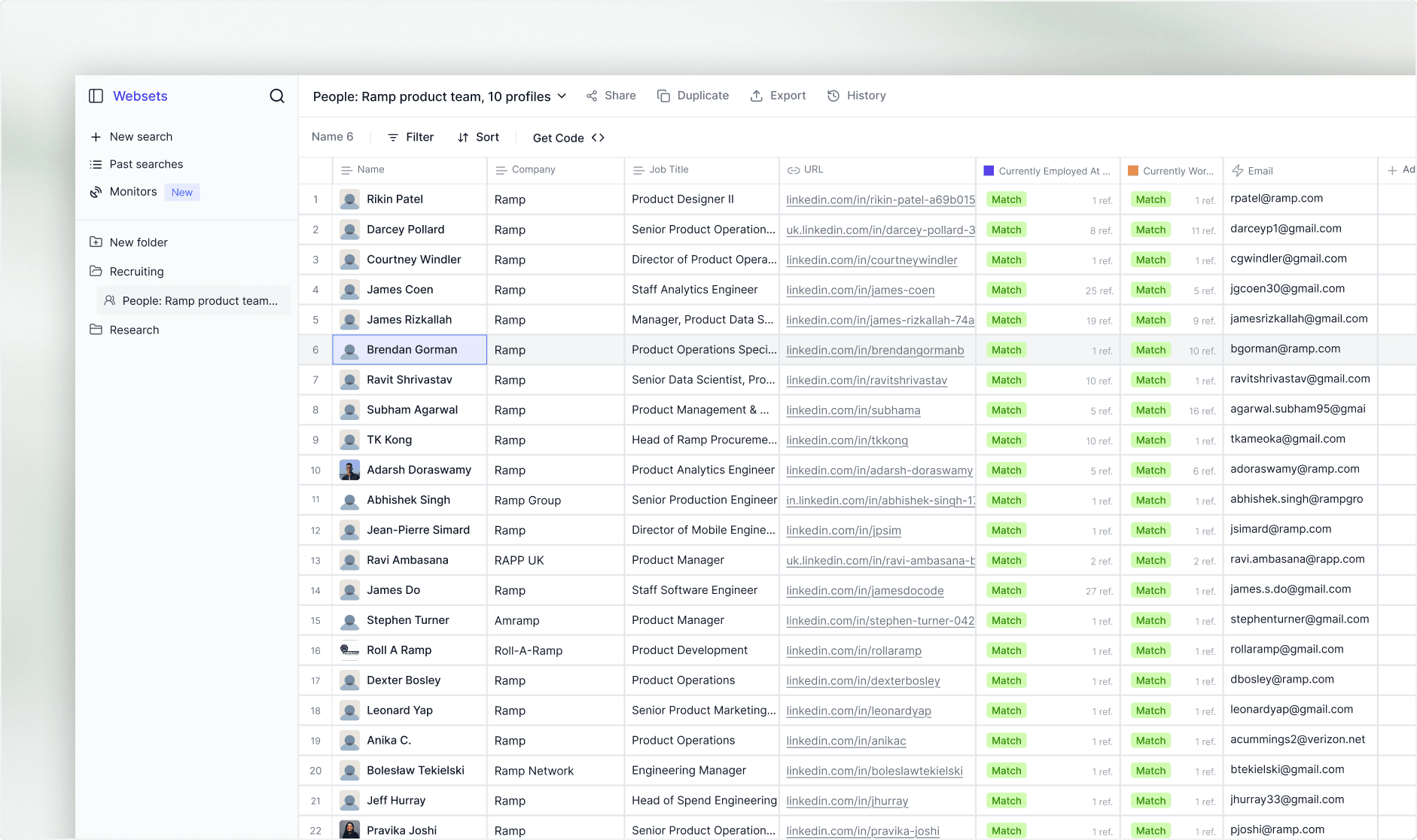
Exa's Websets is one of the coolest recent products in the sales space. It lets you query the open web using semantic search criteria, not just filters, and returns structured, enriched lists of people and companies.
The Problem
Core Issue: Most enterprise users are not technical
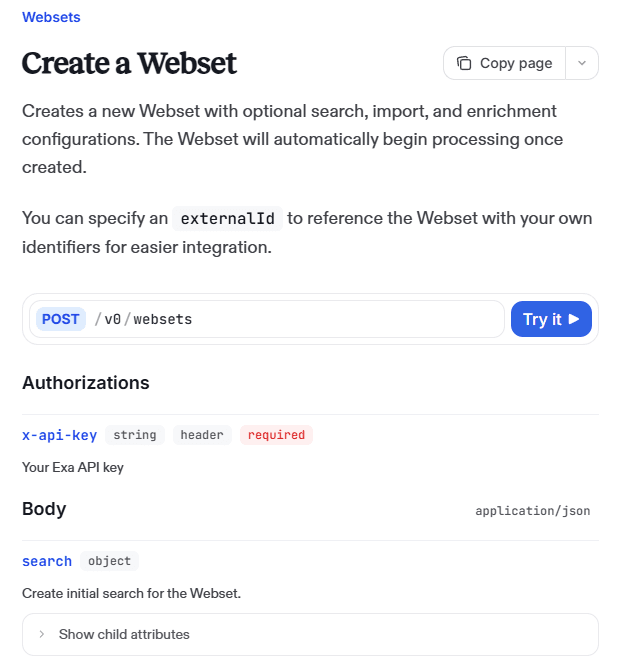
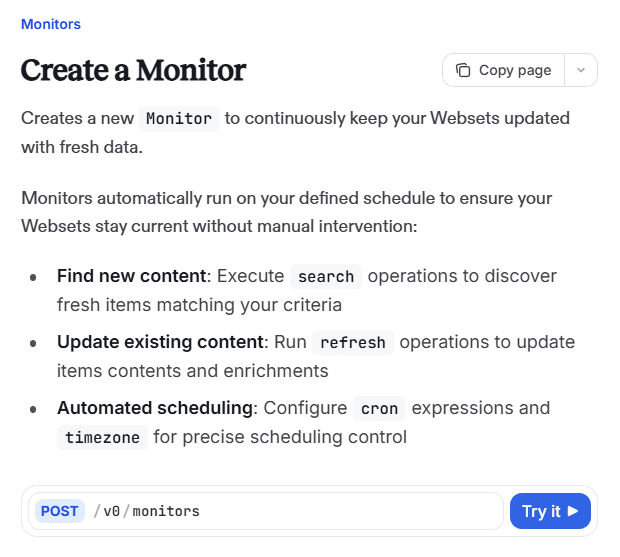
The no-code dashboard covers the core search loop well. The issue starts when you want Websets to run on its own or talk to other tools. Take, for example, reacting to a monitored event or piping results into Clay, Slack, or a CRM all lean on the API and webhooks.




Research
To validate, I ran an interview with a member of GTM staff at Cursor
Building enterprise sales pipelines, even at startups like Cursor, still relies on a stack of separate tools: LinkedIn Sales Navigator + Phantom Buster + Clay + Apollo. Each separately handles prospecting, scraping, enrichment, sequencing.
“ Find any F500 outside of NYC or SF, and ask them to explaintheir CRM. They probably tell you they don't know how to doautomations.”
Stitching them together takes technical fluency. When I described Exa's semantic search (search using meaning > keywords), the value of combining it with enrichment and automation was obvious. So was the barrier: full functionality currently requires API scripting, which leaves out most sales/GTM/AE users who can't code.
Explorations
Thus, how might we extend Exa Websets to cover more of the sales pipeline for enterprise clients, giving non-technical users a no-code path?
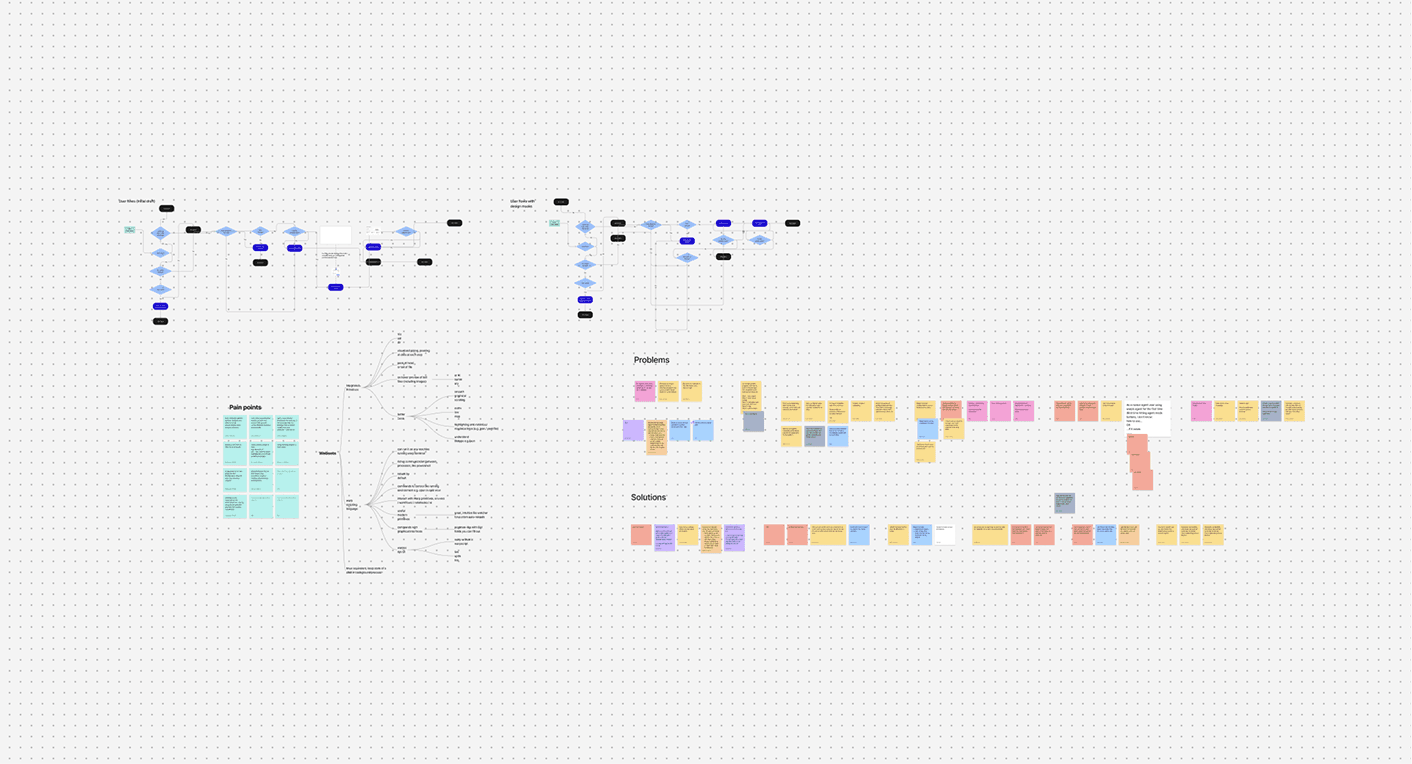
The “ideal” pathway to use Websets is from filter → enrich → trigger → output. Since users should be able to arrange this pathway however they want, the mental map I had was a drag and drop node grid that allowed users to connect actions.
01
[ Fetch input data ]
Receive JSON via triggered webhooks or Exa Monitor. For Google Calendar, use the Watch API with user permission to fetch events.
02
[ Filter input data by criteria ]
Apply filters for meeting type, name, date, and other criteria.
03
[ Enrich data ]
Auto-create default fields like event_name and event_time from matching columns. Users can define custom fields like call_script.
04
[ Output data ]
Send enriched rows to the desired output channel via webhook.
The solution
Webset Workflows: visual drag-and-drop automations blended into every list
A no-code visual builder embedded directly in the Websets interface. Instead of writing API calls or configuring webhooks elsewhere, users get a drag-and-drop pane to script automations.
How it works
Upon clicking the automations button, an automation panel will appear that lets users script their own automations.
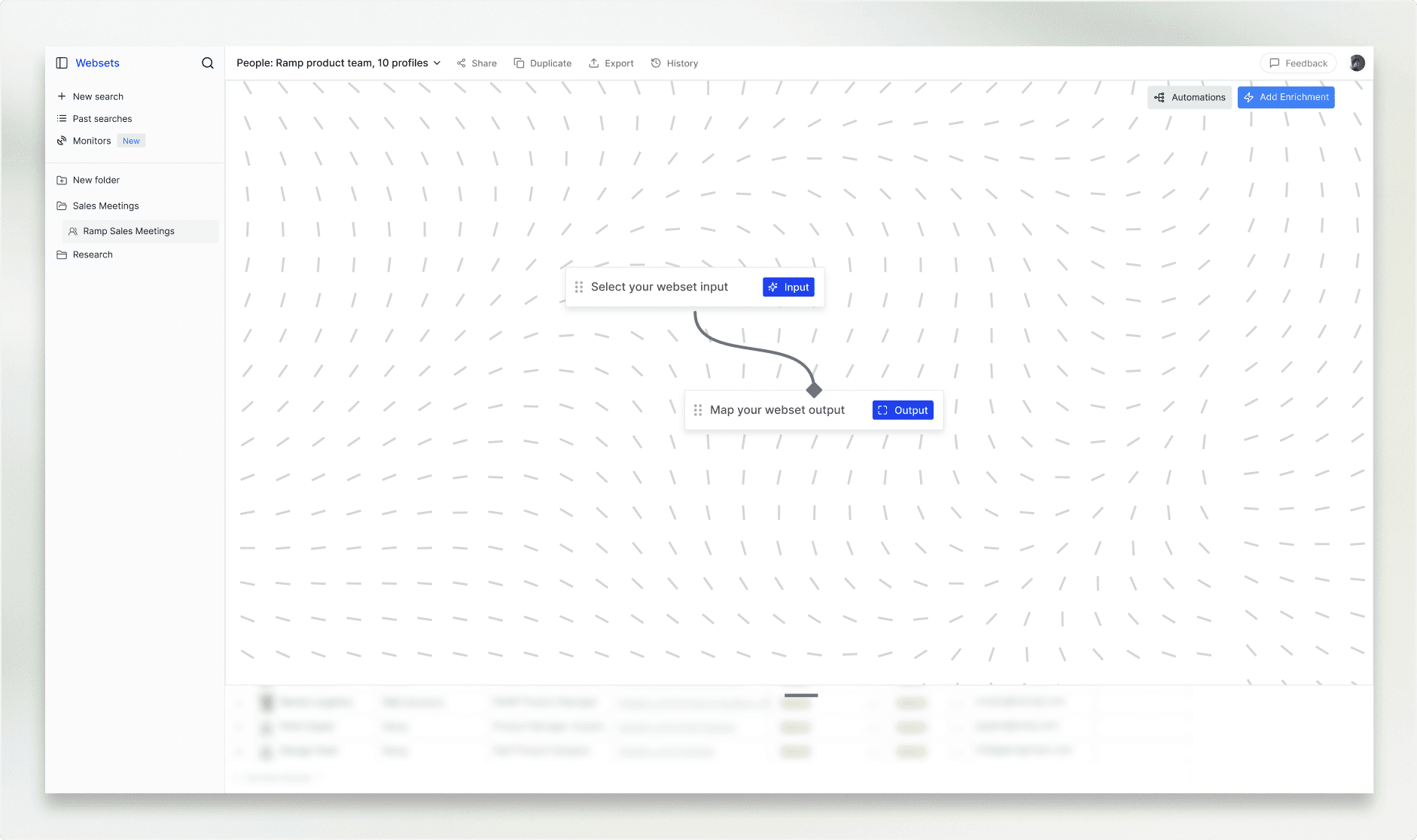
End to end flow for gcal automation
Let's say I want to turn any inbound meeting into an enriched pipeline that automatically provides you with full meeting context documents and materials. Select input "webhook," then add a data source, filter criteria, and custom enrichment column.
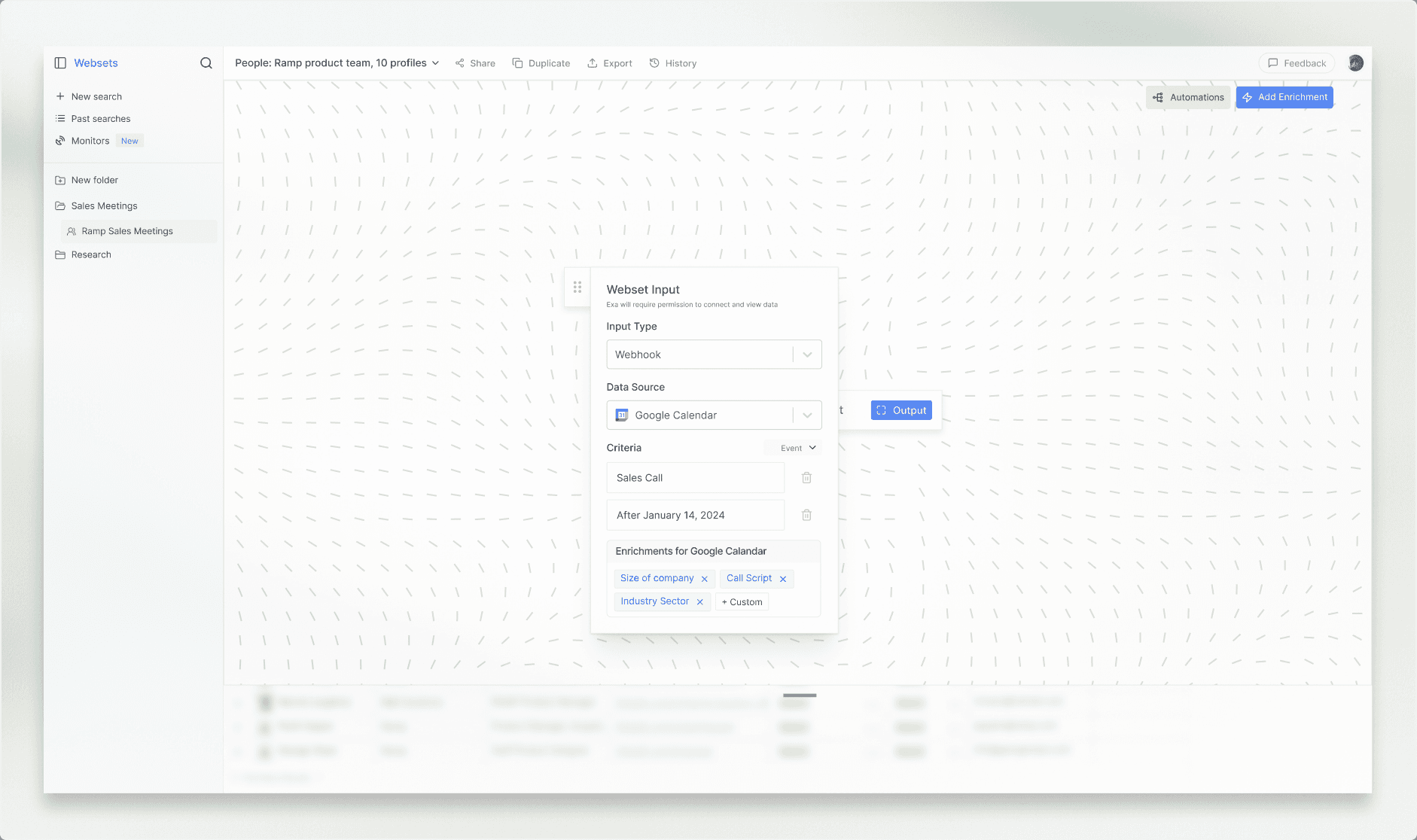
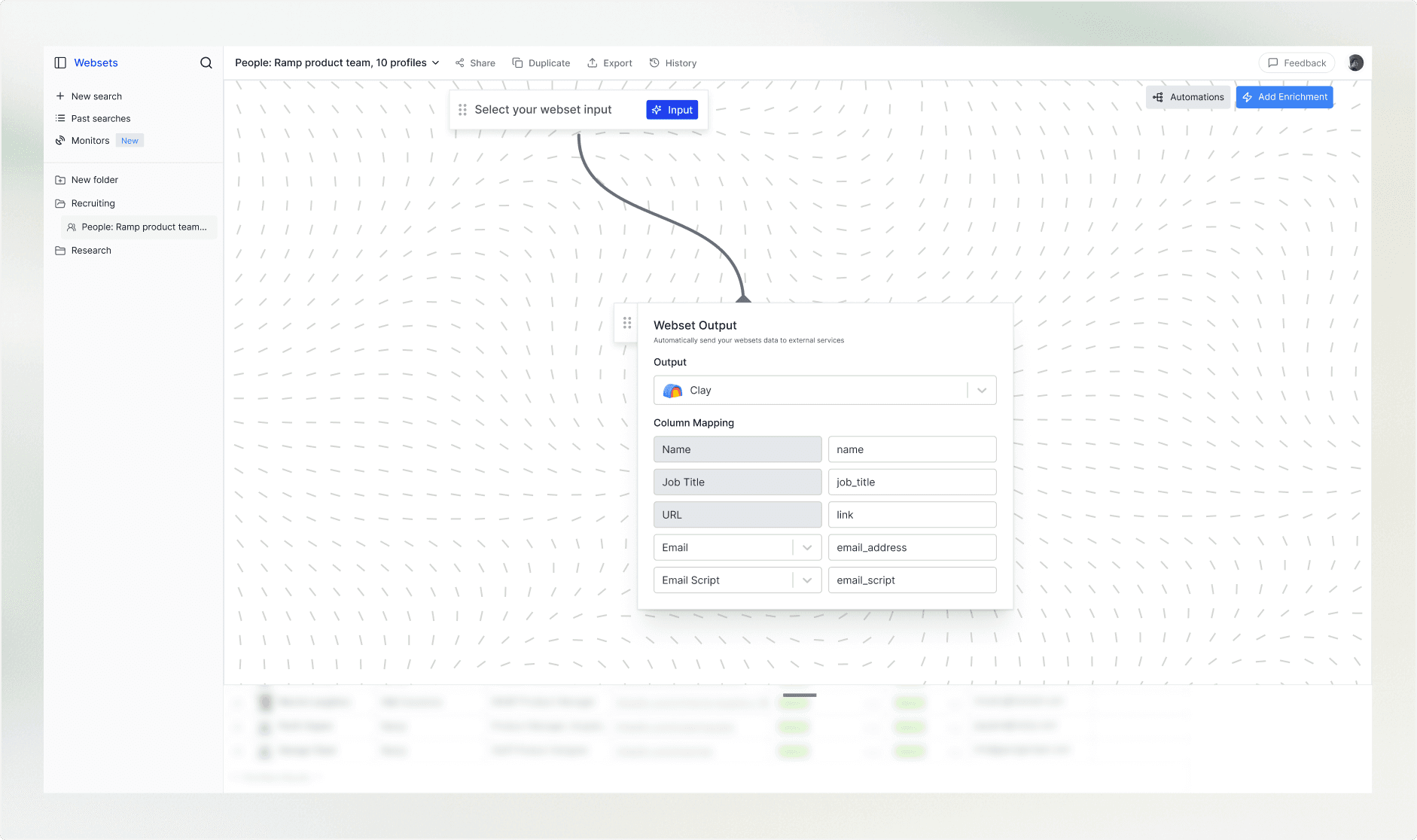
Specify where the webset should output the enriched data, and the columns that should be enriched.
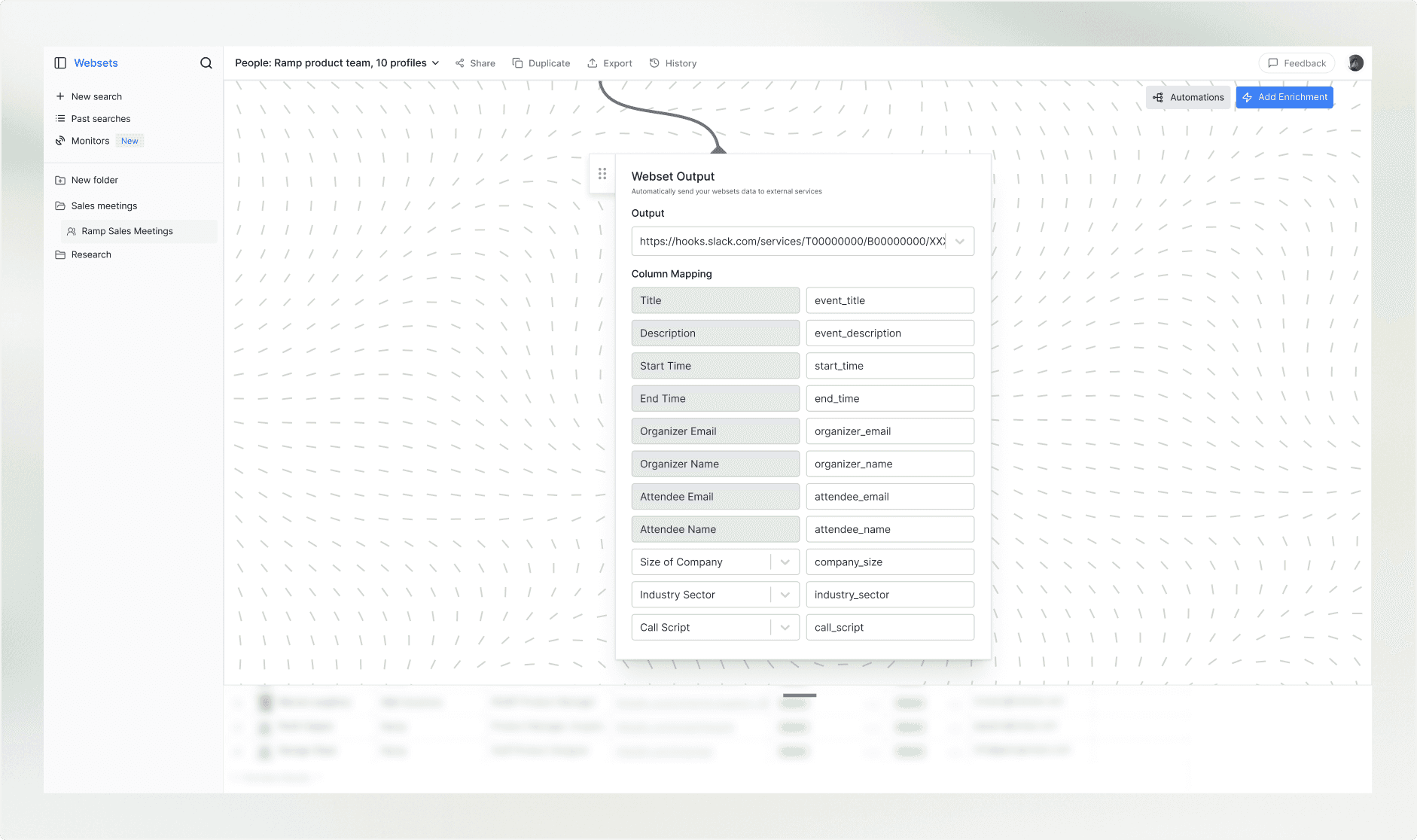
What the output details
From Gcal webhook to slack channel output. An AE who used to spend 15 minutes researching the company before a call now gets this automatically the moment the event is created. No API setup. No scripting.
{"event_title": "Prospective Meeting: Cursor""start_time": "2025-10-13T14:00:00-04:00""end_time": "2025-10-13T14:30:00-04:00""description": "Inbound demo from GTM @ Cursor""organizer_email": "you@company.com""organizer_name": "you@company.com""attendee_name": "John Smith""company_size": "81""industry_sector": "AI merchandising""call_script": "Lorem ipsum dolor sit amet. Aut debitis possimus eos quia ratione sit numquam dignissimos qui alias iusto. Vel nemo internos ab voluptatem unde non debitis provident et distinctio animi ut illum voluptatum non velit ipsum? Qui blanditiis necessitatibus ut quia cupiditate et neque harum non necessitatibus molestiae ut quasi facilis est voluptatum illo. Eos ducimus atque At dolorum veritatis ut placeat nobis ut quisquam nulla et harum provident."}Another workflow, from monitored events to Clay sequencing
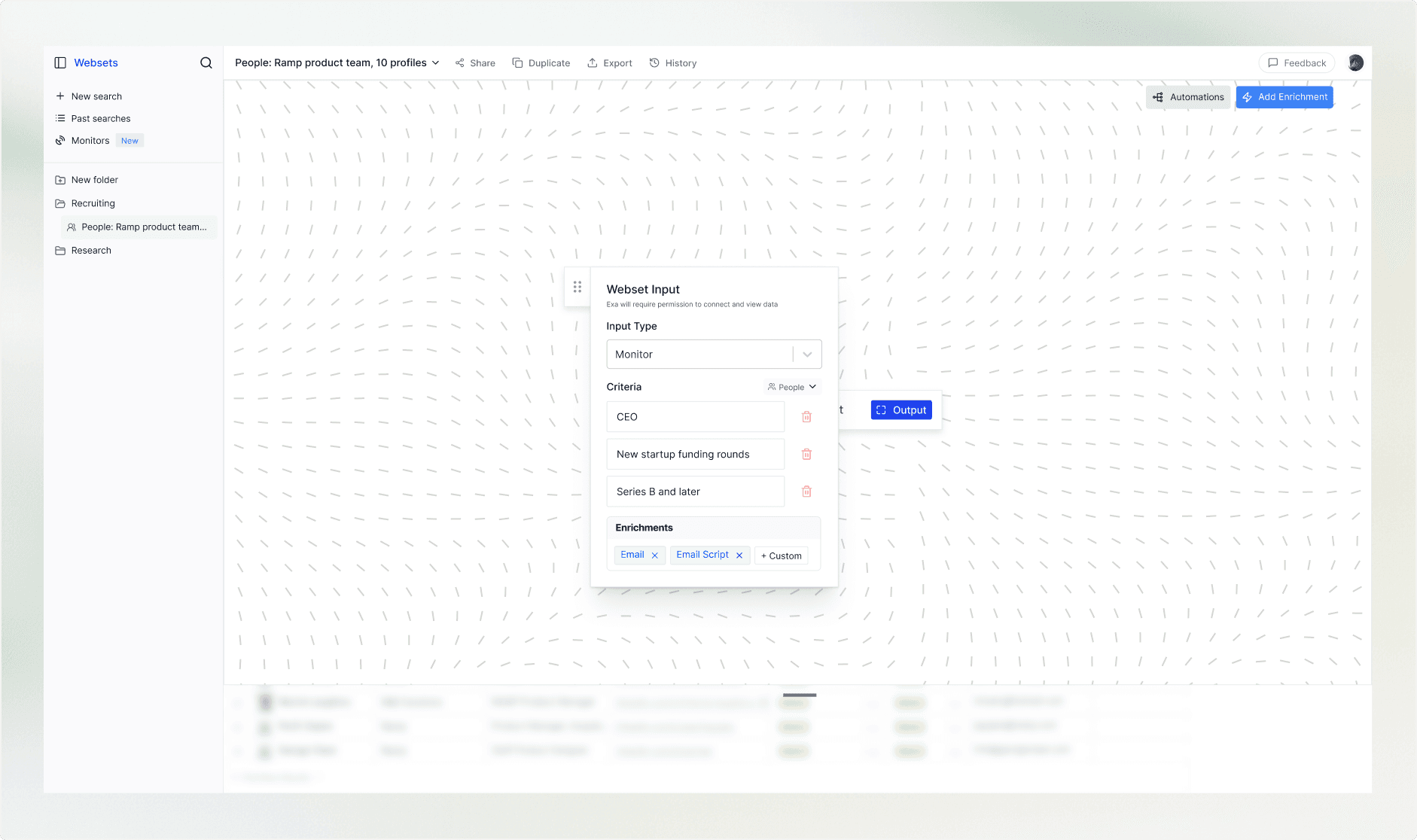
Monitor trigger for outbound prospecting: on a recurring schedule, find and enrich information for CEOs at Series B+ startups as new funding is announced, then push them to a Clay table for sequencing.
Quality of life updates
Some things to make the webapp easier to use
Currently, there’s also a lot of friction in the core table. For enterprise users who daily drive the product, this is a real concern.
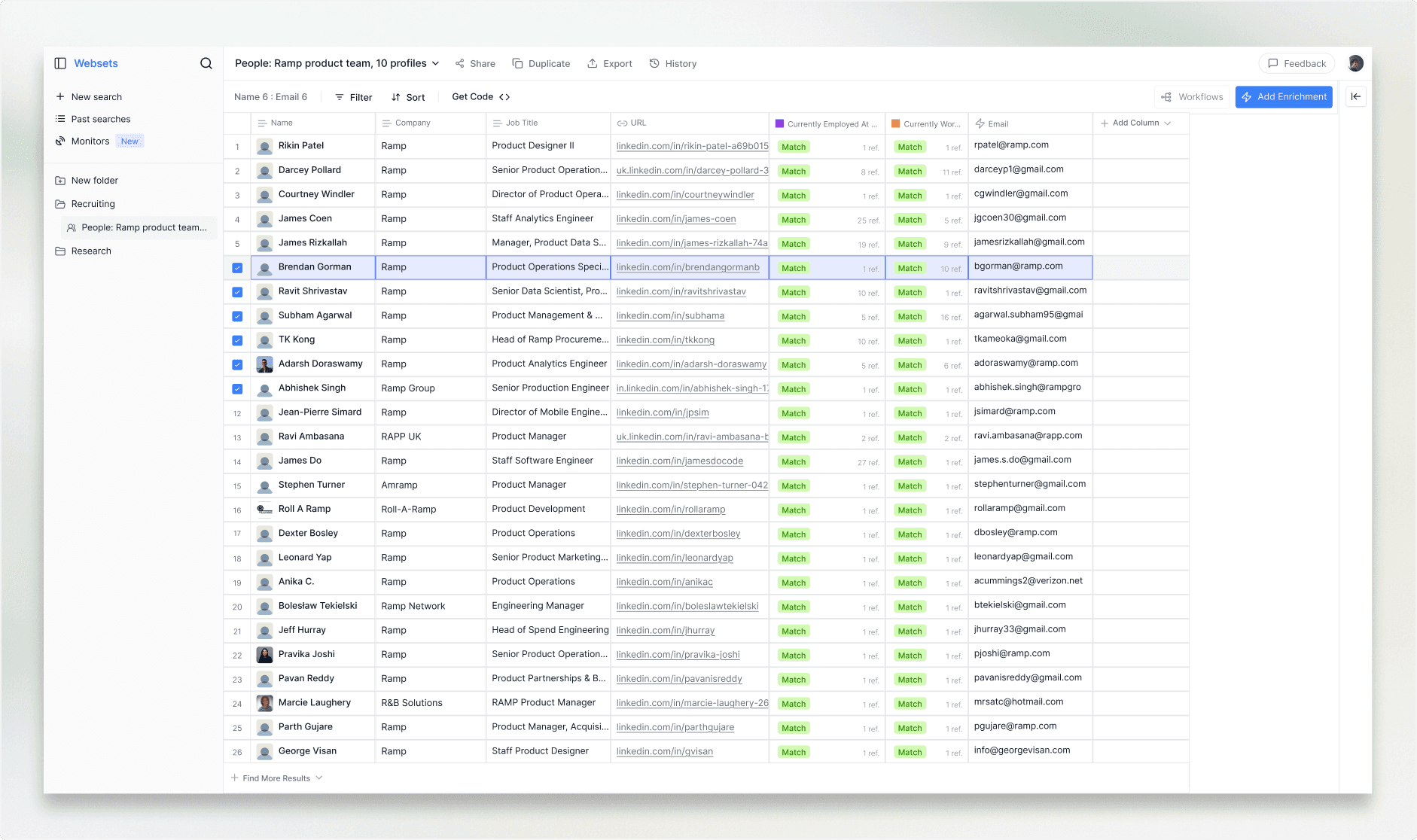
Adding a visible selected-row state, plus shift-click and drag-to-select.
The table gives no feedback when you select a row. And shift-clicking to select a range, something people expect from every spreadsheet app, doesn't work.
Improved ease-of-search
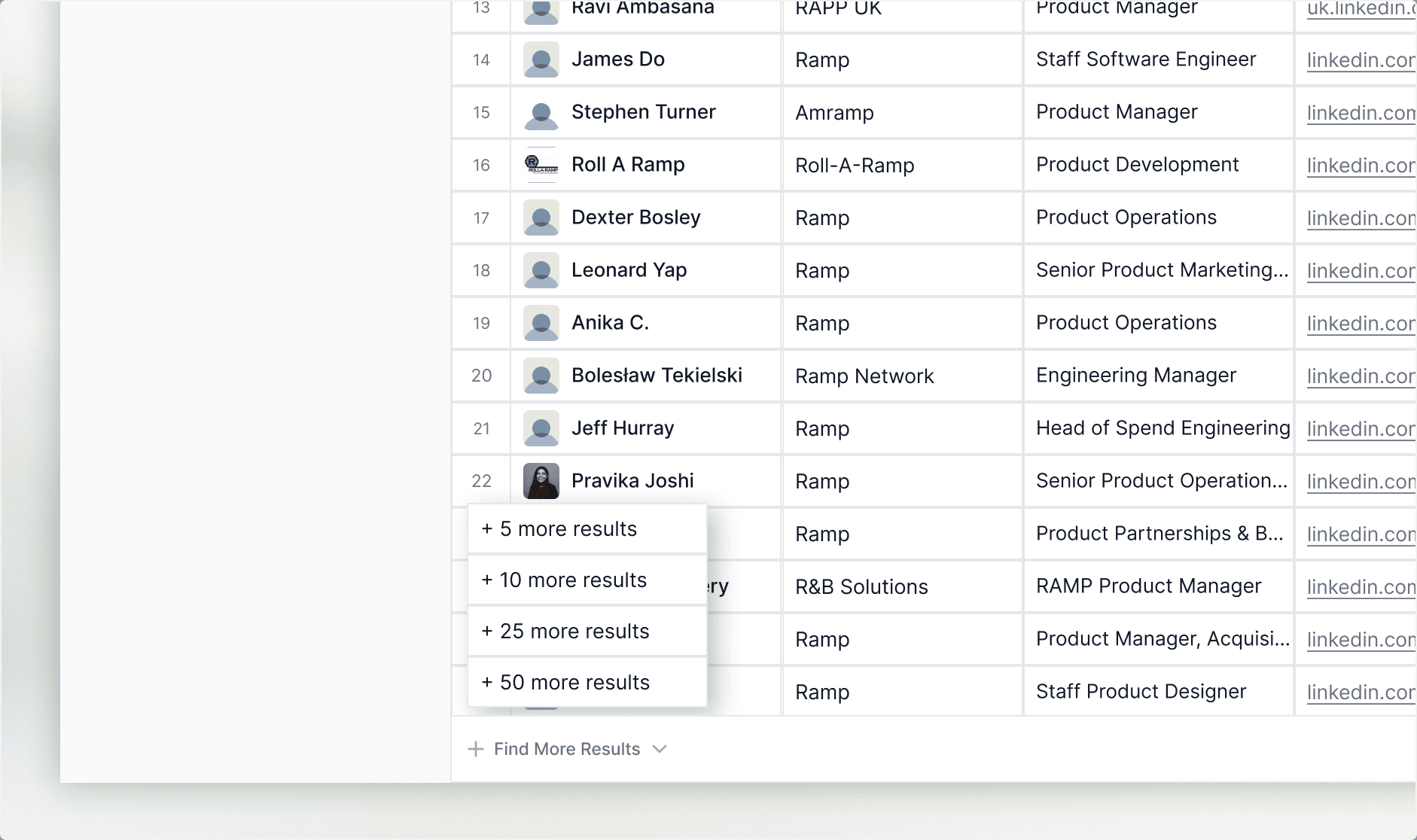
Right now there isn’t an option to search for more results without rerunning the entire enrichment sequence. A “find more results” dropdown fixes that issue.
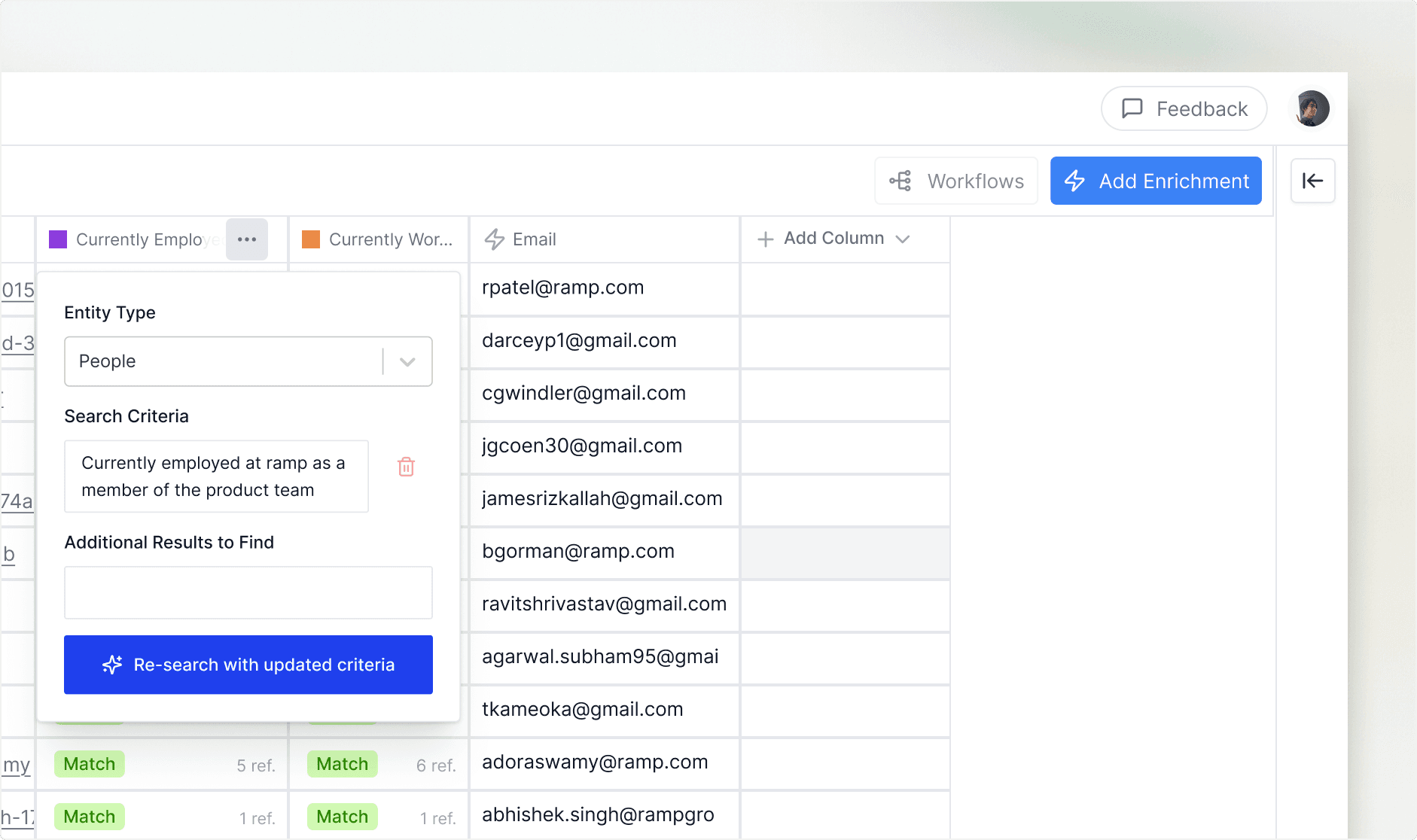
More accessible criteria update UX
There isn’t an easy way to update and rerun the search through the spreadsheet criteria. To update, you need to open the side panel. Adding a dropdown to edit criteria natively in the spreadsheet reduces the friction in re-searching.
Conclusion
What I learned through this exploration
Knowing the technical primitives allowed me to deliver the best product.
It would have been a lot easier to mock up a slick builder and just say, "it points to the backend." Working through docs, how its monitor works, webhooks, imports, exports, changed both what I proposed and how I described it.
One good interview is better than hours of independent research
The Cursor conversation sharpened the problem faster than more solo analysis would have, the real tool stack and the "can't code" barrier landed harder coming from an operator than from inspection alone.
Designing for non-technical users produced a better UI, not just a simpler one.
Assuming the person will never see a JSON payload forced specific choices, structured column mapping, etc. These constraints sharpened the design more than my visual decisions did.